
Benefits of using Immutable.js with React & Redux apps

Have you ever struggled with complex and unreadable redux reducers? If yes, this article will show you how Immutable.js can help you keep reducers easy and clean. It fits perfectly with the redux & react application, so you might try to use it in your app.
Immutable.js is a library that supports an immutable data structure. It means that once created data cannot be changed. It makes maintaining immutable data structures easier and more efficient. The tool supports data structure like: List, Map, Set and also structures that are not implemented in .js by default but can be very useful: OrderedMap, OrderedSet and Record.
Methods such as push, unshift, slice in .js are based on reference and mutate the object directly. In the case of Immutable.js, there are no methods that change the object directly, a new object is always returned.
How using Immutable.js is supposed to help in Redux applications?
Before using Immutable.js, the biggest issue with the Redux library often comes to returning a new object, which is nested in another object. In this case, using the Object.assign and spread operator syntax is not readable and may increase app complexity.
Some may suggest keeping your reducer's state as flat as possible. That could be right, but sometimes, even if your state is flat, you would have to set something in a nested object. So, if you also struggle because of that, the immutable library comes to make your life easier.
How does it look in practice?
Let’s start by showing some examples of how the code looks like with and without using our solution in a reducer. In most of the cases in reducers, you will use method .set , which takes two arguments; the first one is a key which you would like to change and the second one is a new value. For setting nested properties, you can use method .setIn , which instead of a key as the first argument takes a key path as an array. Worth noting here is that if the key does not exist, a new one will be created. Thanks to this, you don't have to make conditions to handle it.
Here is a very simple reducer:
export const initialState ={
loaded: false,
disabled: false
};
export default function bookReducer(state = initialState, { type, payload }) {
switch (type) {
case ActionTypes.setLoadedState:
return {
...state,
loaded: payload
}
}
return state;
}
This is the simplest reducer you can imagine, let's see what it looks like with immutable.js:
export const initialState = from.js({
loaded: false,
disabled: false
});
export default function bookReducer(state = initialState, { type, payload }) {
switch (type) {
case ActionTypes.setLoadedState:
return state.set('loaded', payload)
}
return state;
}
Here, there is no big difference because the reducer is very simple, but we already can see a small improvement, code becomes more readable.
The second example without our solution:
export const initialState = {
students: {},
selectedStudent: null
};
export default function studentReducer(state = initialState, { type, payload }) {
switch (type) {
case ActionTypes.setStudentStatus:
return {
...state,
students: {
...state.students,
[payload.studentId]: {
...state.students[payload.studentId],
status: payload.status
}
}
}
}
return state;
}
With Immutable.js:
export const initialState = {
students: {},
selectedStudent: null
};
export default function studentReducer(state = initialState, { type, payload }) {
switch (type) {
case ActionTypes.setStudentStatus:
return state.setIn(['students', payload.studentId, 'status'], payload.status)
}
return state;
}
In the example above, we can see a huge difference between using and not using the tool:
- The code is much shorter (10 lines to just 1 line).
- With the Immutable.js you can easily see at first glance what data in reducer has changed.
- Without the Immutable.js, it’s not that literal and obvious what’s changed.
In these examples, we provide only 2 methods of using Immutable.js - .set and .setIn , but there are numerous use cases, not only to set values. Actually, Immutable objects have the same methods which native .js has and a lot more which can speed up your development.
We also recommend checking the .update and .updateIn methods in the documentation, because, in reducers, they can be invaluable in more complex cases.
Other benefits of using Immutable.js
The main benefits of this library are easy and simple to maintain reducers. Besides this, we also get other advantages:
- The library provides data structures that are not natively implemented in .js, but it makes your life easier (e.g., Ordered Map, Record).
- The tool offers numerous ways to simplify your work, for example sortBy, groupBy, reverse, max, maxBy, flatten and many more. You can even stop using the lodash library, as most of the methods from lodash have their equivalents in immutable.js. It is easier to use as we can use chaining by default.
- Immutable.js does a lot of things under the hood, which improves performance. Immutable data structures usually consume a lot of RAM, because this approach requires creating new copies of objects constantly. Among other things, our solution optimizes this, by sharing the state cleverly.
- Empty collections are always equal, even if they were created separately. Look at the example below:

Compared to native .js:

There is always the other side of the coin, what are the cons?
Expensive converting to regular JavaScript
To convert Immutable collection to regular .js, you have to use .to.js() on an Immutable Collection. This method is very expensive when it comes to performance and always returns a new reference of an object even if nothing has been changed in the object. It affects PureComponent and React.memo, because these components would detect something has been changed, but actually, nothing has changed.
In most of the cases, you should avoid using to.js() and pass to components Immutable collections. However, sometimes you will have to use to.js, e.g. if you use an external library that requires props.
If you are developing generic components that will be used in other projects, you should avoid using an Immutable Collection in them, because it would force you to use Immutable in all projects that use these components.
There is no destructing operator
If you like getting properties using a destructing operator like this:
const { age, status } = student;
You won’t be happy, because, in Immutable.js, it is impossible to do. The get property from an immutable collection you have to use method .get or getIn, but I think it should not be a bit deal.
Debugging
Immutable collections are difficult to read in the browser console. Fortunately, you can easily solve this problem by using the tool. Object Formatter browser plugin, but it is not available in all browsers.
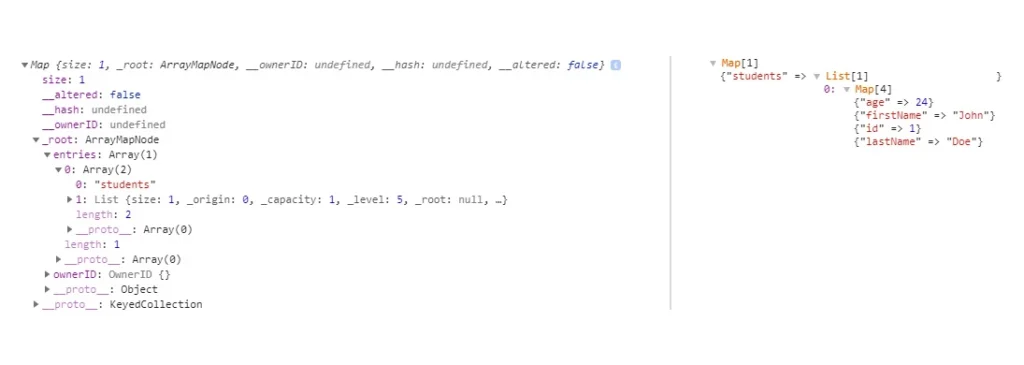
The above comparison shows what it looks like without and with the plugin. As you can see, the log is completely unreadable without the plugin.
Conclusion
Accordingly to our experiences, the immutable.js library is worth trying out in React applications with Redux applications. Thanks to immutable.js, your application will be more efficient, easier to develop, maintain and more resistant to errors . Because, as you’ve seen above in a comparison of reducers. It's definitely easier to make a mistake without using Immutable.js. In the long term project, you should definitely consider it.

Grape Up guides enterprises on their data-driven transformation journey
Ready to ship? Let's talk.
Check related articles
Read our blog and stay informed about the industry's latest trends and solutions.
Practical tips to testing React apps with Selenium
If you ever had to write some automation scripts for an app with the frontend part done in React and you used Selenium Webdriver to get it to work, you’ve probably noticed that those two do not always get along very well. Perhaps you had to ‘hack’ your way through the task, and you were desperately searching for solutions to help you finish the job. I’ve been there and done that – so now you don’t have to. If you’re looking for a bunch of tricks which you can learn and expand your automation testing skillset, you’ve definitely come to the right place. Below I’ll share with you several solutions to problems I’ve encountered in my experience with testing against React with Selenium . Code examples will be presented for Python binding.
They see me scrolling
First, let’s take a look at scrolling pages. To do that, the solution that often comes to mind in automation testing is using JavaScript. Since we’re using Python here, the first search result would probably suggest using something like this:
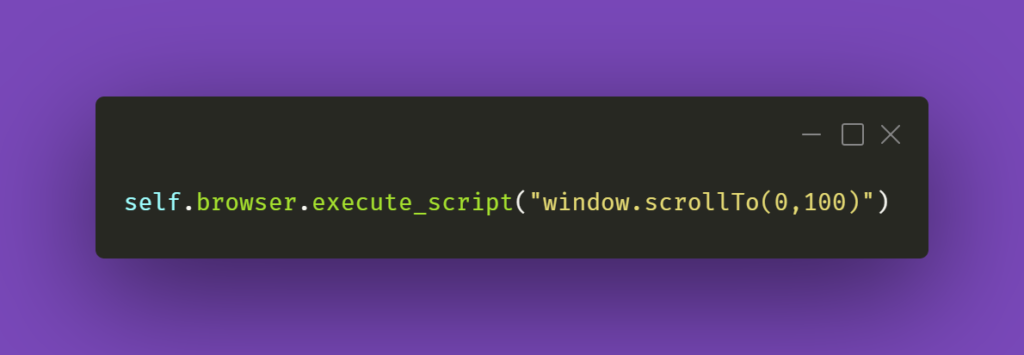
The first argument in the JS part is the number of pixels horizontally, and the second one is the number of pixels vertically. If we just paste window.scrollTo(0,100) into browsers’ console with some webpage opened, the result of the action will be scrolling the view vertically to the pixel position provided.
You could also try the below line of code:
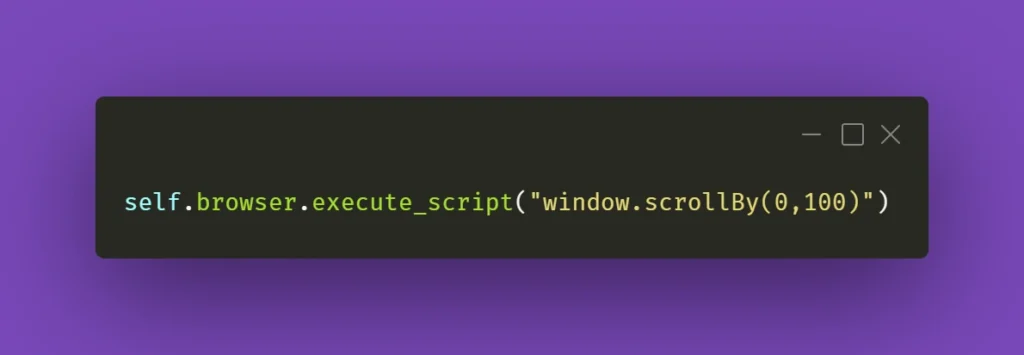
And again, you can see how it works by pasting window.scrollBy(0,100) into browsers’ console – the page will scroll down by the number of pixels provided. If you do this repeatedly, you’ll eventually reach the bottom of the page.
However, that might not always work wonders for you. Perhaps you do not want to scroll the whole page, but just a part of it – the scrollbars might be confusing, and when you think it’s the whole page you need to scroll, it might be just a portion of it. In that case, here’s what you need to do. First, locate the React element you want to scroll. Then, make sure it has an ID assigned to it. If not, do it yourself or ask your friendly neighborhood developer to do it for you. Then, all you have to do is write the following line of code:
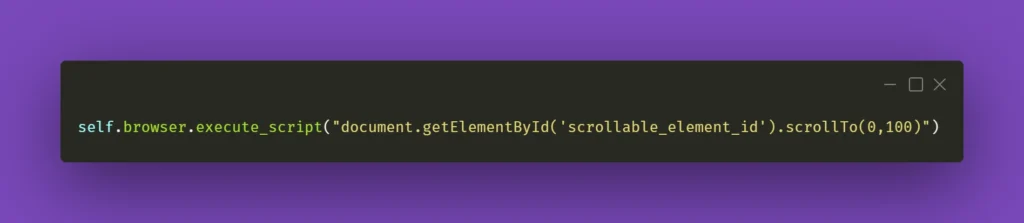
Obviously, don’t forget to change ‘scrollable_element_id’ to an ID of your element. That will perform a scroll action within the selected element to the position provided in arguments. Or, if needed, you can try .scrollBy instead of .scrollTo to get a consistent, repeatable scrolling action.
To finish off, you could also make a helper method out of it and call it whenever you need it:
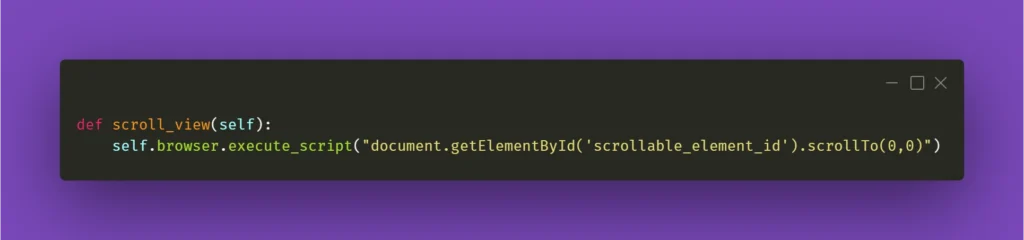
I’ll be mentioning the above method in the following paragraph, so please keep in mind what scroll_view is about.
Still haven’t found what you were looking for
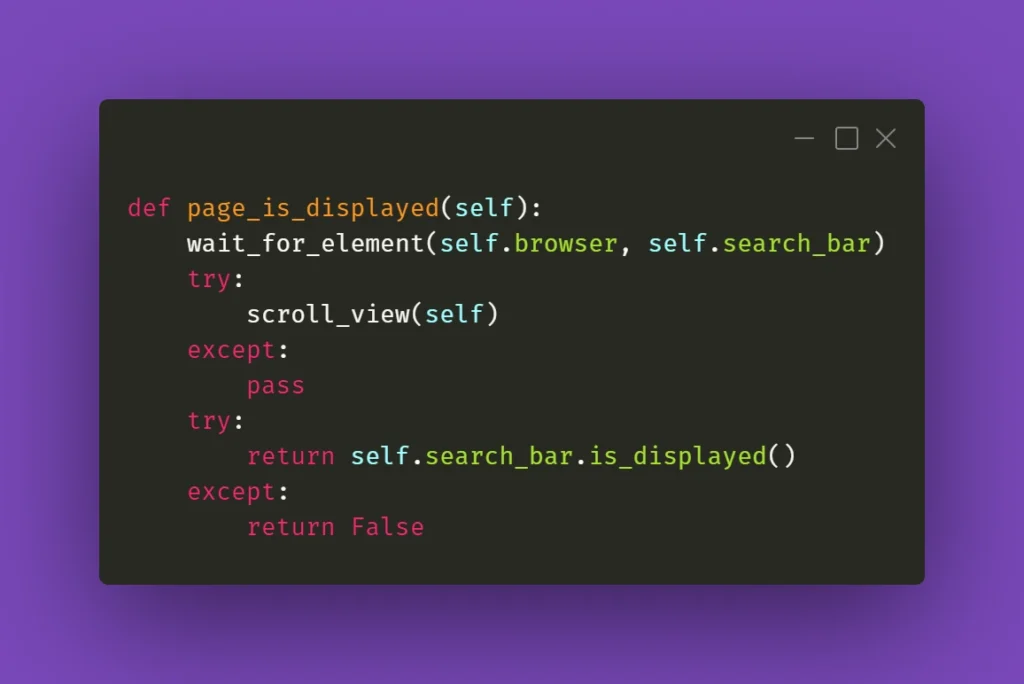
Now that you have moved scrolling problems out of the way, locating elements and interacting with them on massive React pages should not bother you anymore, right? Well, not exactly. If you need to perform some action on an element that exists within a page, it has to be scrolled into view so you can work with it. And Selenium does not automatically do that. Let’s assume that you’re working on a web app that has various sub-pages, or tabs. Each of those tabs contains elements of a different sort but arranged in similar tables with search bars on top of each table at the beginning of the tab. Imagine the following scenario: you navigate to the first tab, scroll the view down, then navigate to the second tab, and you want to use the search bar at the top of the page. Sounds easy, doesn’t it?
What you need to be aware of is the React’s feature which does not always move the view to the top of the page after switching subpages of the app. In this case, to interact with the aforementioned search box you need to scroll the view to the starting position. That’s why scroll_view method in previous paragraph took (0,0) as .scrollTo arguments. You could use it before interacting with an element just to make sure it’s in the view and can be found by Selenium. Here’s an example:
When it doesn’t click
Seems like a basic action like clicking on an element should be bulletproof and never fail. Yet again, miracles happen and if you’re losing your mind trying to find out what’s going on, remember that Selenium doesn’t always work great with React. If you have to deal with some stubborn element, such as a checkbox, for example, you could just simply make the code attempt the action several times:
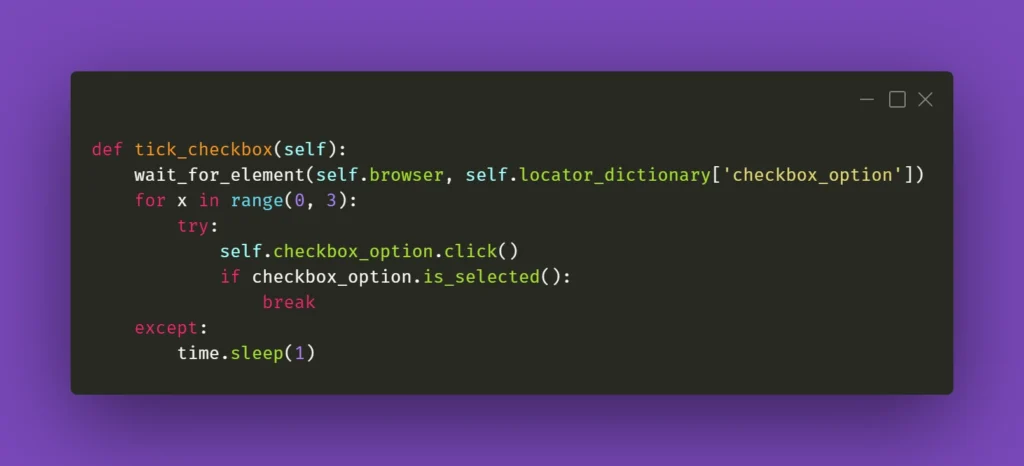
The key here is the if statement; it has to verify whether the requested action had actually taken place. In the above case, a checkbox is selected, and Selenium has a method for verifying that. In other situations, you could just provide a specific selector which applies to a particular element when it changes its state, eg., an Xpath similar to this:
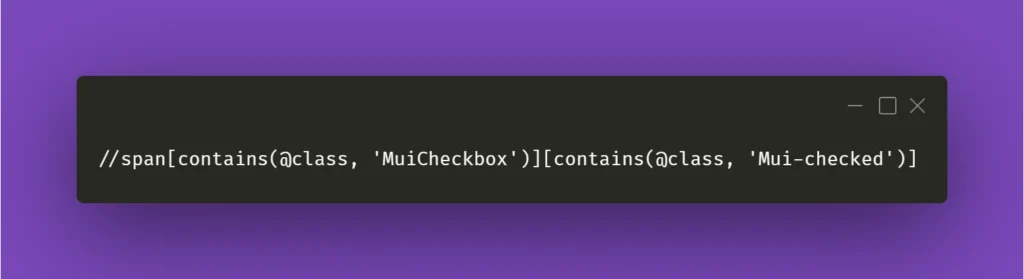
In the above example, Xpath contains generic Material-UI classes, but it could be anything as long as it points out the exact element you needed when it changed its state to whichever you wanted.
Clear situation
Testing often includes dealing with various forms that we need to fill and verify. Fortunately, Selenium’s send_keys() method usually does the job. But when it doesn’t, you could try clicking the text field before inputting the value:
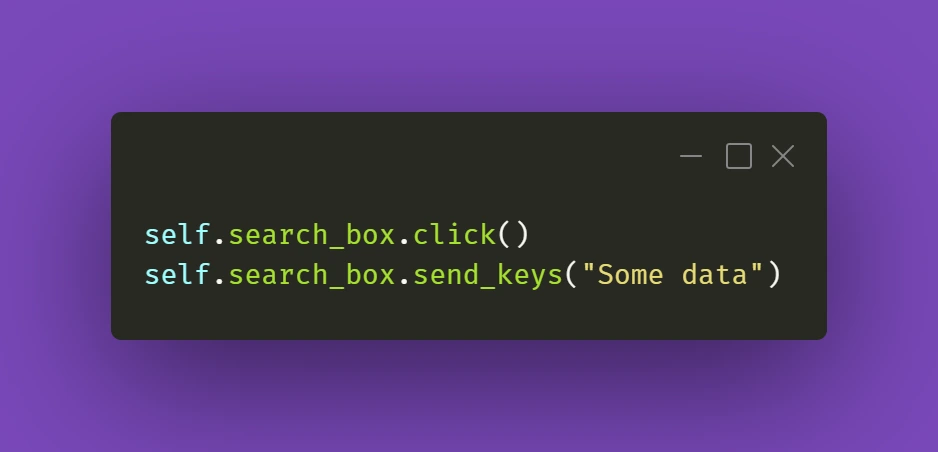
It's a simple thing to do, but we might sometimes have the tendency to forget about such trivial solutions. Anyway, it gets the job done.
The trickier part might actually be getting rid of data in already filled out forms. And Selenium's .clear() method doesn't cooperate as you would expect it to do. If getting the field into focus just like in the above example doesn't work out for you:
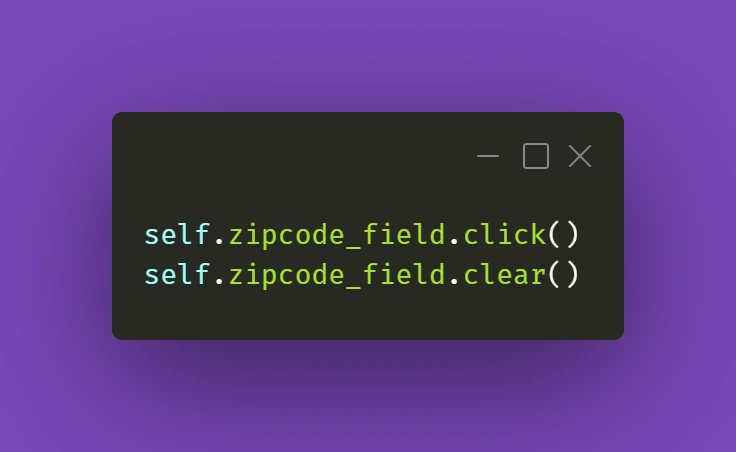
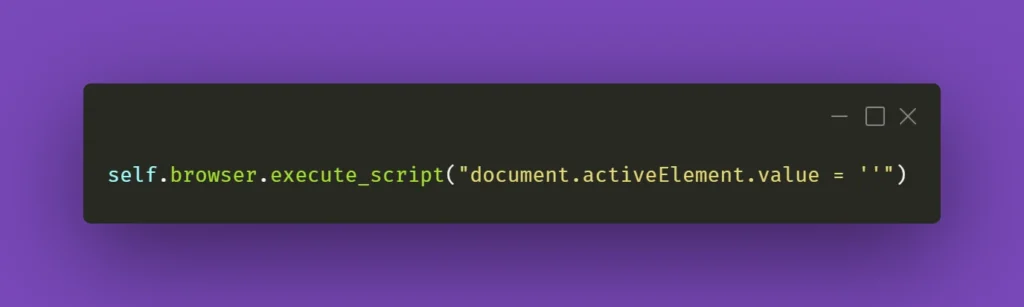
there is a solution that uses some JavaScript (again!). Just make sure your cursor is focused on the field you want to clear and use the following line:
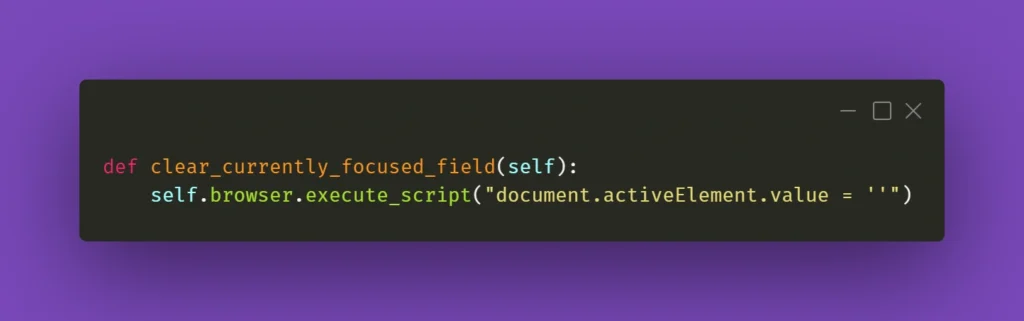
You can also wrap it into a nifty little helper as I did:
While this should work fine 99% of the time, there might be a situation with a stubborn text field where React quickly restores the previous value. What you can do in such a situation is experiment with sending an empty string to that field right after clearing it or sending some whitespace to it:
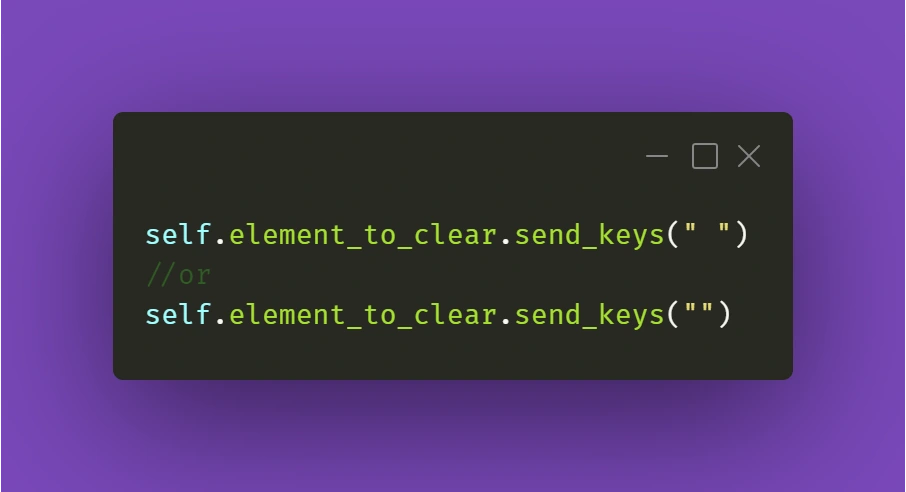
Just make sure it works for you!
Continuing the topic of the text in various fields, which sometimes have to be verified or checked after particular conditions are met, sometimes you need to make sure you're using the right method to extract the text value of an element. They might come in different forms, but the ones below are used quite often. Text in element could be extracted by Selenium with .get_attribute() method:
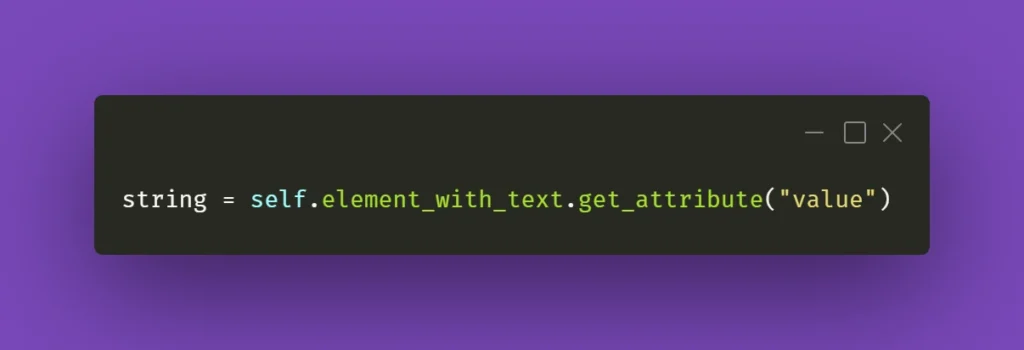
Or sometimes it's just enough to use .text() method:
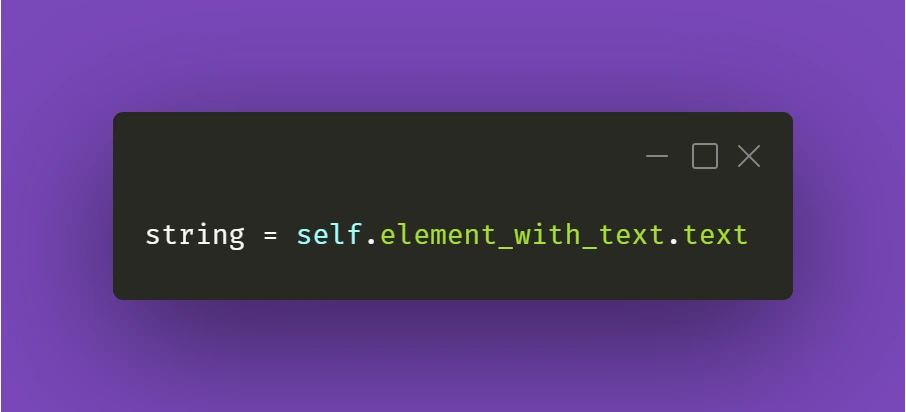
It all depends on the context and the element you're working with. So don't fall into the trap of assuming that all forms and elements in the app are exactly the same. Always check twice, you'll thank yourself for that, and in the end, you'll save tons of time!
React Apps - Keep on testing!
Hopefully, the tips and tricks I presented above will prove most useful for you in your testing projects. There's definitely more to share within the testing field, so make sure you stay tuned in for other articles on our blog!
Native bindings for JavaScript - why should I care?
At the very beginning, let’s make one important statement: I am not a JavaScript Developer. I am a C++ Developer, and with my skill set I feel more like a guest in the world of JavaScript. If you’re also a Developer, you probably already know why companies today are on the constant lookout for web developers - the JavaScript language is flexible and has a quite easy learning curve. Also, it is present everywhere from computers, to mobile devices, embedded devices, cars, ATMs or washing machines - you name it. Writing portable code that may be run everywhere is tempting and that's why it gets more and more attention.
Desktop applications in JavaScript
In general, JavaScript is not the first or best fit for desktop applications. It was not created for that purpose and it lacks GUI libraries like C++, C#, Java or even Python. Even though it has found its niche.
Just take a look at the Atom text editor. It is based on Electron [1], a framework to run JS code in a desktop application. The tool internally uses chromium engine so it is more or less a browser in a window, but still quite an impressive achievement to have the same codebase for both Windows, macOS and Linux. It is quite meaningful for those that want to use agile processes. Especially because it is really easy to start with an MVP and have incremental updates with new features often, as it is the same code.
Native code and JavaScript? Are you kidding?
Since JavaScript works for desktop applications, one may think: why bother with native bindings then? But before you also think so, consider the fact that there are a few reasons for that, usually performance issues:
- Javascript is a script, virtualized language. In some scenarios, it may be of magnitude slower than its native code equivalent [2].
- Javascript is characterized by garbage collection and has a hard time with memory consuming algorithms and tasks.
- Access to hardware or native frameworks is sometimes only possible from a native, compiled code.
Of course, this is not always necessary. In fact, you may happily live your developer life writing JS code on a daily basis and never find yourself in a situation when creating or using native code in your application is unavoidable. Hardware performance is still on the uphill and often there is no need to even profile an application. On the other hand, once it happens, every developer should know what options are available for them.
The strange and scary world of static typing
If a JavaScript Developer who uses Electron finds out that his great video encoding algorithm does not keep up with the framerate, is that the end of his application? Should he rewrite everything in assembler?
Obviously not. He might try to use the native library to do the hard work and leverage the environment without a garbage collector and with fast access to the hardware - or maybe even SIMD SSE extensions. The question that many may ask is: but isn’t it difficult and pointless?
Surprisingly not. Let’s dig deeper into the world of native bindings when as an opposite to JavaScript, you often have to specify the type of variable or return value for functions in your code.
First of all, if you want to use Electron or any framework based on NodeJS, you are not alone - you have a small friend called “nan” (if you have seen “wat”[3] you are probably already smiling). Nan is a “native abstraction for NodeJS” [4] and thanks to its very descriptive name, it is enough to say that it allows to create add-ons to NodeJS easily. As literally everything today you can install it using the npm below:
$ npm install --save nan
Without getting into boring, technical details, here is an example of wrapping C++ class to a JavaScript object:
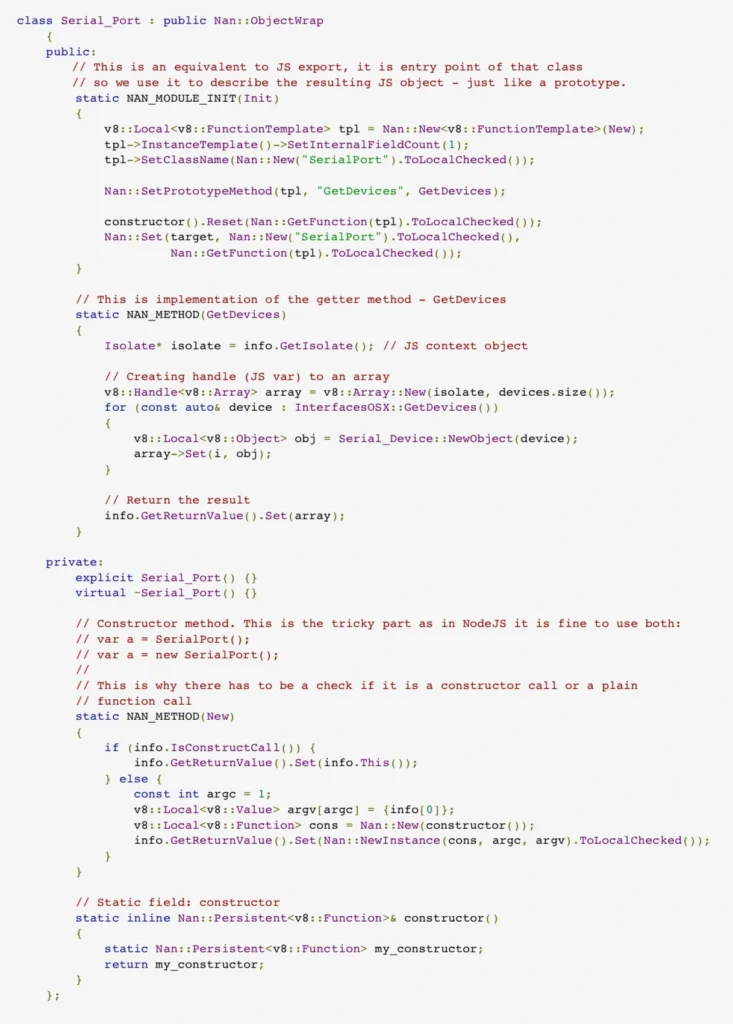
Nothing really fancy and the code isn’t too complex either. Just a thin wrapping layer over the C++ class. Obviously, for bigger frameworks there will be much code and more problems to solve, but in general we have a native framework bound with the JavaScript application.
Summary
The bad part is that we, unfortunately, need to compile the code for each platform to use it and by each platform we usually mean windows, linux, macOS, android and iOS depending on our targets. Also, it is not rocket science, but for JavaScript developers that never had a chance to compile the code it may be too difficult.
On the other hand, we have a not so perfect, but working solution for writing applications that run on multiple platforms and handle even complex business logic . Programming has never been a perfect world, it has always been a world of trade-offs, beautiful solutions that never work and refactoring that never happens. In the end, when you are going to look for yet another compromise between your team’s skills and the client’s requirements for the next desktop or mobile application framework, you might consider using JavaScript.
Interested in our services?
Reach out for tailored solutions and expert guidance.