

Michał is a Quality Consultant at Grape Up specialising in manual and automated software testing. When he is not toying with the Godot game engine, he enjoys jogging, reading books, and playing computer games
Read articles
Dependency injection in Cucumber-JVM: Sharing state between step definition classes
It's an obvious fact for anyone who's been using Cucumber for Java in test automation that steps need to be defined inside a class. Passing test state from one step definition to another can be easily achieved using instance variables, but that only works for elementary and small projects. In any situation where writing cucumber scenarios is part of a non-trivial software delivery endeavor, Dependency Injection (DI) is the preferred (and usually necessary!) solution. After reading the article below, you'll learn why that's the case and how to implement DI in your Cucumber-JVM tests quickly.
Preface
Let's have a look at the following scenario written in Gherkin:
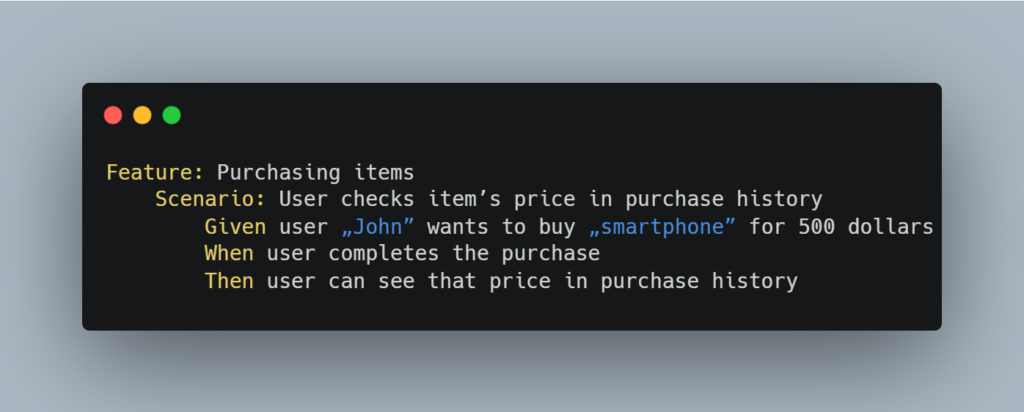
If we assume that it's part of a small test suite, then its implementation using step definitions within the Cucumber-JVM framework could look like this:
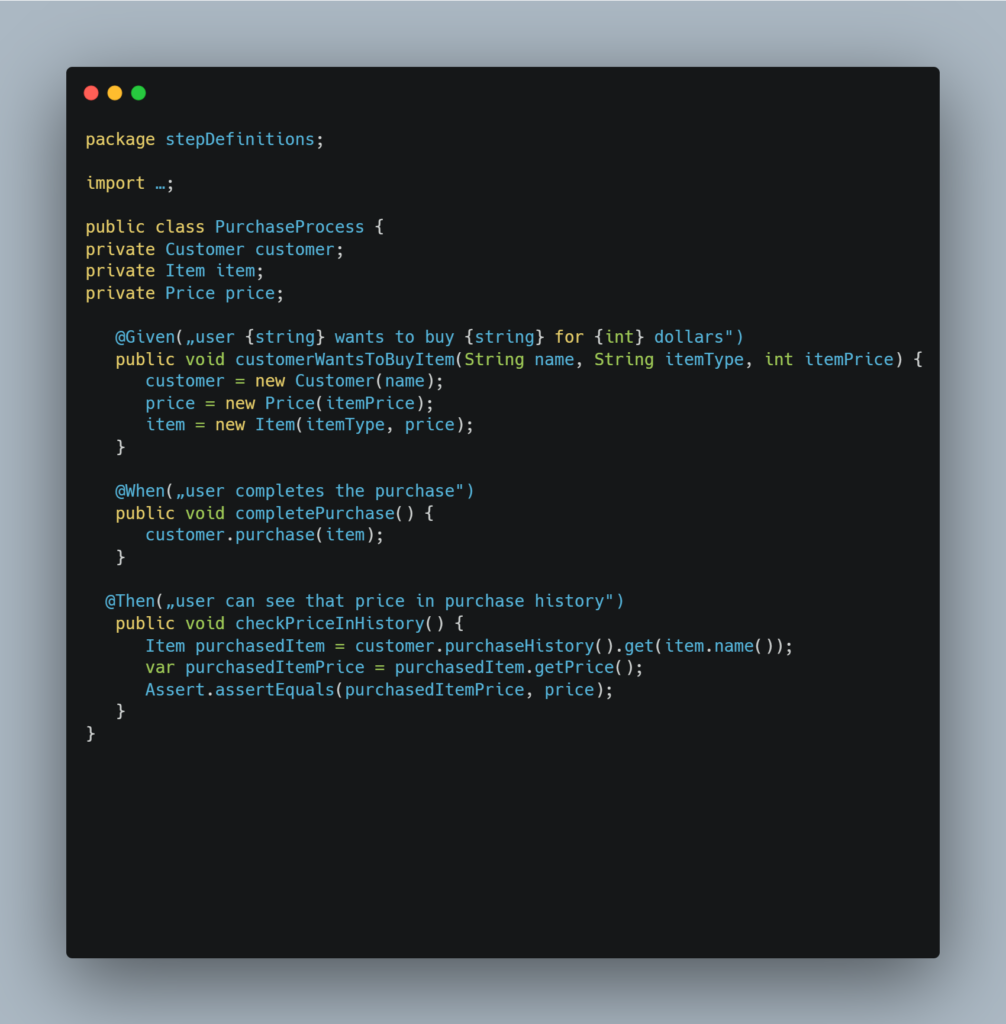
In the example above, the data is passed between step definitions (methods) through instance variables. This works because the methods are in the same class – PurchaseProcess, since instance variables are generally accessible only inside the same class that declares them.
Problem
The number of step definitions grows when the number of Cucumber scenarios grows. Sooner or later, this forces us to split our steps into multiple classes - to maintain code readability and maintainability, among other reasons. Applying this truism to the previous example might result in something like this:
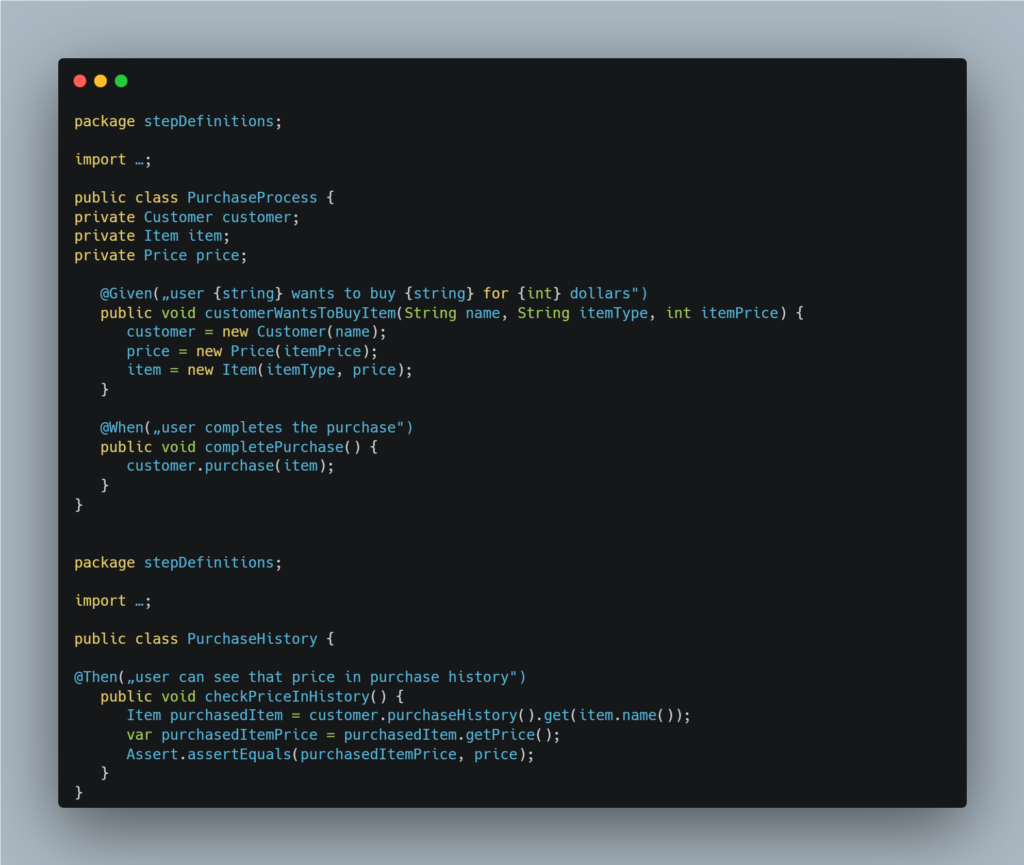
But now we face a problem: the checkPriceInHistory method moved into the newly created PurchaseHistory class can't freely access data stored in instance variables of its original PurchaseProcess class.
Solution
So how do we go about solving this pickle? The answer is Dependency Injection (DI) – the recommended way of sharing the state between steps in Cucumber-JVM.
If you're unfamiliar with this concept, then go by Wikipedia's definition:
"In software engineering , dependency injection is a design pattern in which an object or function receives other objects or functions that it depends on. A form of inversion of control , dependency injection aims to separate the concerns of constructing and using objects, leading to loosely coupled programs. [1] [2] [3] The pattern ensures that an object or function which wants to use a given service should not have to know how to construct those services. Instead, the receiving ' client ' (object or function) is provided with its dependencies by external code (an 'injector'), which it is not aware of." [1]
In the context of Cucumber, to use dependency injection is to "inject a common object in each class with steps. An object that is recreated every time a new scenario is executed." [2]
Thus Comes PicoContainer
JVM implementation of Cucumber supports several DI modules: PicoContainer, Spring, Guice, OpenEJB, Weld, and Needle. PicoContainer is recommended if your application doesn't already use another one. [3]
The main benefits of using PicoContainer over other DI modules steam from it being tiny and simple:
- It doesn't require any configuration
- It doesn't require your classes to use any APIs
- It only has a single feature – it instantiates objects [4]
Implementation
To use PicoContainer with Maven, add the following dependency to your pom.xml :
<dependency>
<groupId>io.cucumber</groupId>
<artifactId>cucumber-picocontainer</artifactId>
<version>7.8.1</version>
<scope>test</scope>
</dependency>
If using Gradle, add:
compile group: 'io.cucumber', name: 'cucumber-picocontainer', version: ‚7.8.1’
To your build.gradle file.
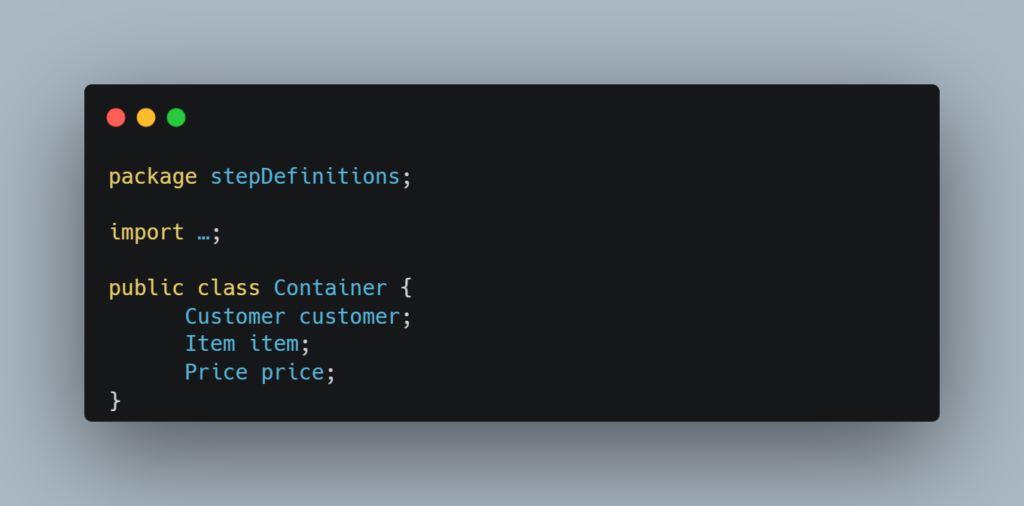
Now let's go back to our example code. The implementation of DI using PicoContainer is pretty straightforward. First, we have to create a container class that will hold the common data:
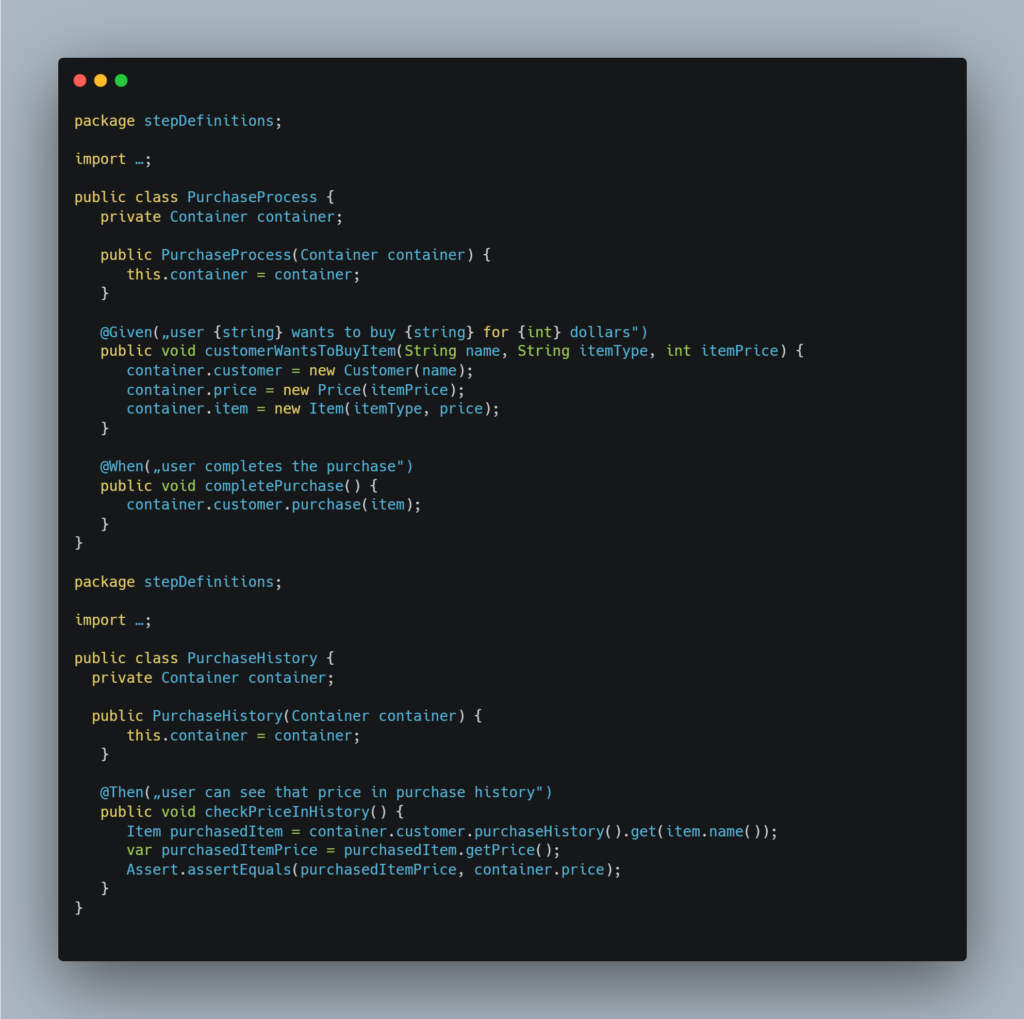
Then we need to add a constructor injection to implement the PurchaseProcess and PurchaseHistory classes. This boils down to the following:
- creating a reference variable of the Container class in the current step classes
- initializing the reference variable through a constructor
Once the changes above are applied, the example should look like this:
Conclusion
PicoContainer is lightweight and easy to implement. It also requires minimal changes to your existing code, helping to keep it lean and readable. These qualities make it a perfect fit for any Cucumber-JVM project since sharing test context between classes is a question of 'when' and not 'if' in essentially any test suite that will grow beyond a few scenarios.